

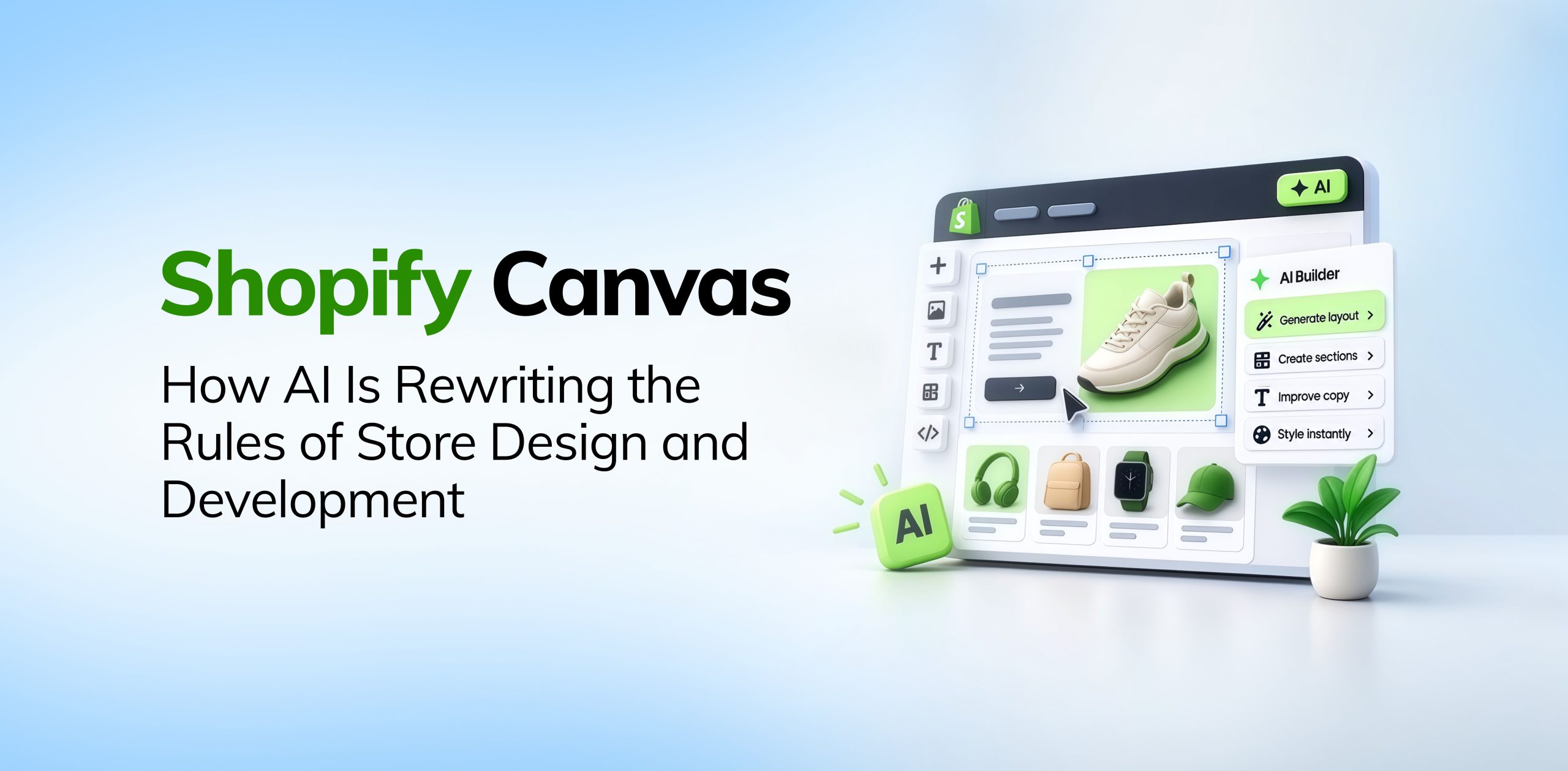

Shopify Canvas is a new AI design workspace that lets merchants build and customise their store by chatting with Sidekick, Shopify’s AI agent. Shopify announced it on October 1, 2026, and it is rolling out to merchants now.
Until now, a truly custom Shopify store meant one of three things. You learned to code, hired a developer, or settled for what your theme allowed.
Canvas changes that. It puts every page of your store in one visual workspace. You can click an element to edit it yourself, or describe the change in plain English and let Sidekick write the theme code. Changes appear in real time on the actual code behind your store, not a mockup.
It is still early days. Canvas works on desktop only, supports Shopify-built and custom themes but not third-party ones, and does not replace the existing theme editor yet. But it shows where Shopify development is heading: a much shorter path from an idea to a working store.
What Is Shopify Canvas?
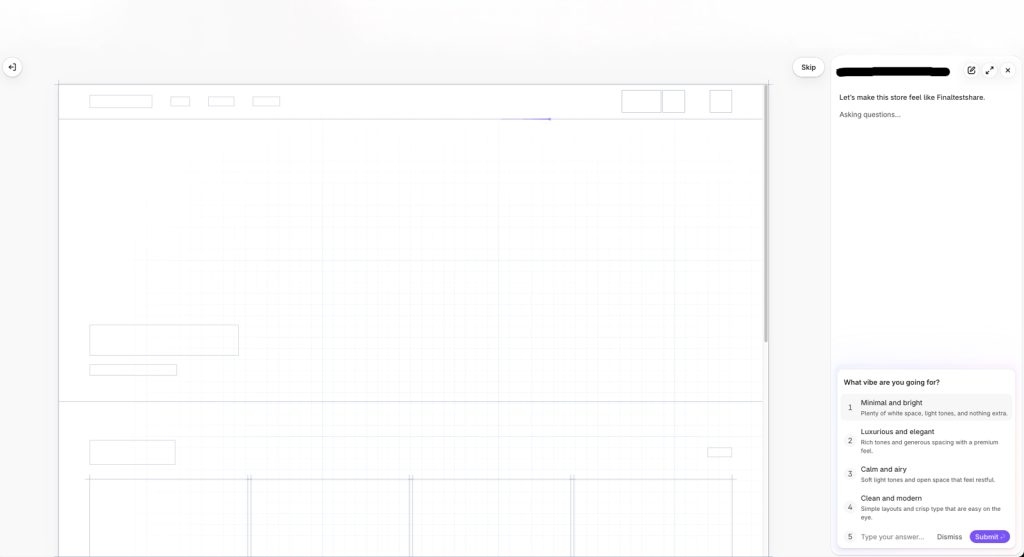
Shopify Canvas is a visual workspace, launched by Shopify on October 1, 2026, where merchants design and develop their online store with Sidekick, Shopify’s AI agent.
Traditional Shopify theme development is page by page. You work on the homepage, then the product template, collections, individual sections, and settings. Canvas shows the whole store at once.
Merchants can view several parts of their storefront together, pan across it, zoom into specific elements, and see how each change fits the wider design.
Changes can be made directly to elements or requested through Sidekick in plain English.
Instead of searching through theme settings and asking:
“Where can I change this?”
The merchant can simply say:
“Make this section feel more premium and reduce the spacing on mobile.”
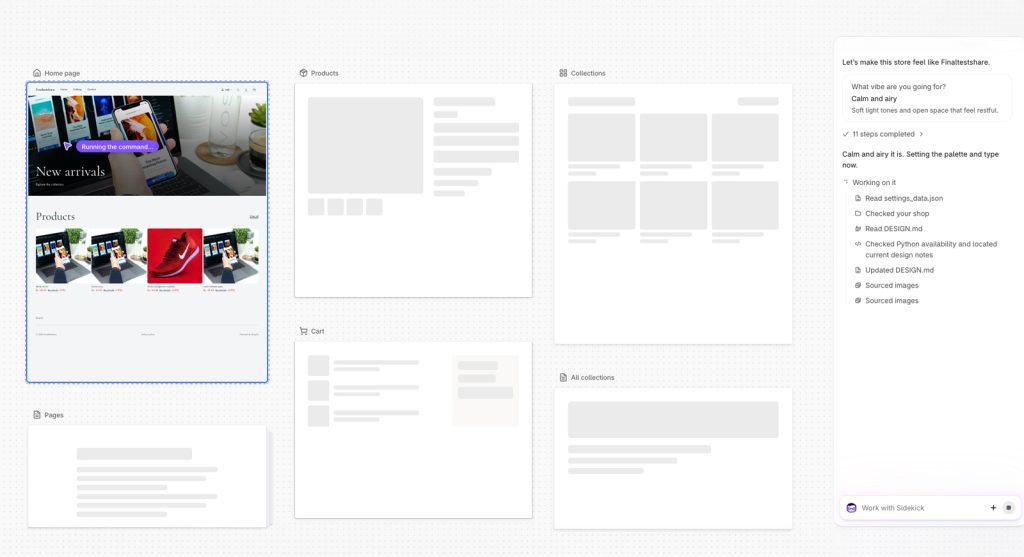
Sidekick then makes the changes while the merchant reviews the result visually. As it builds, Sidekick also takes screenshots of its own work and checks its code before handing the design back.
Shopify positions Canvas as a collaborative workspace, not just an AI code generator. Merchants and Sidekick work on the same storefront together.
For businesses already exploring AI and conversational commerce, Canvas represents another step toward making AI part of the ecommerce experience itself.
From Theme Editor to AI-Assisted Store Creation
The biggest change Shopify Canvas brings is how merchants interact with development, not just how fast code gets written.
The traditional workflow looks something like this:
Idea → Design → Developer → Code → Preview → Feedback → Revision
Canvas shortens it to:
Idea → AI implementation → Visual preview → Feedback → Refinement → Working storefront
The feedback loop is much shorter. A merchant can describe an idea, see it built, judge the result, and ask for another version straight away.
Merchants no longer have to turn every creative idea into a detailed technical brief before work can start. The conversation itself becomes part of the development process.
The scale is already large. Shopify says Sidekick made over 25 million theme edits in the first half of 2026, and the company rebuilt its theme architecture so Sidekick could edit store structure more cleanly. Ben Sehl, Shopify’s Director of Product, says merchants can now build a fully custom store in around twenty minutes.
Canvas also fits Shopify’s broader move toward agentic storefronts, where AI takes part in more and more of the commerce journey.
Canvas Works With the Real Storefront
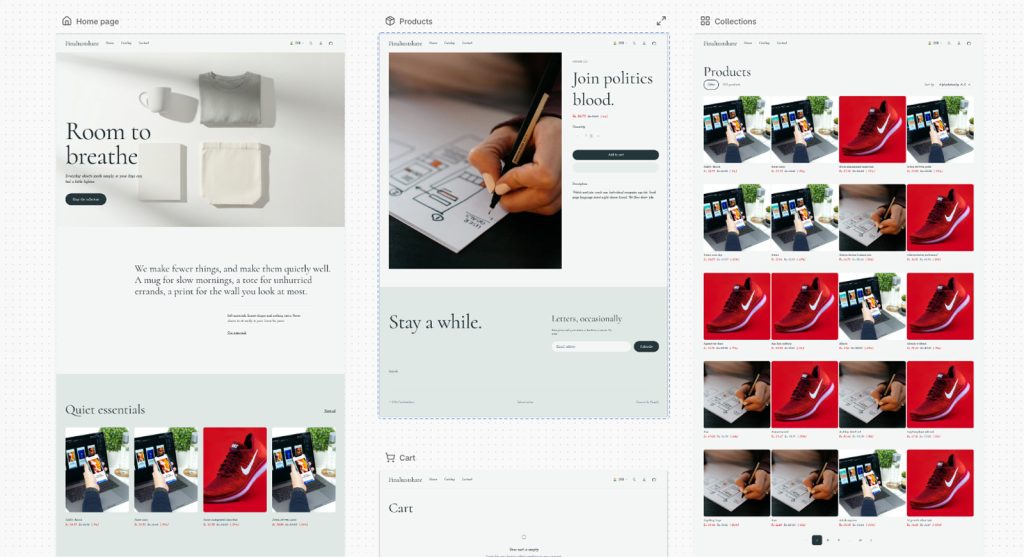
Unlike a generic AI website builder, Shopify Canvas edits the real code behind your store, not a static mockup.
According to Shopify’s Canvas announcement, merchants are working on a render of the store’s actual code. They can preview interactive elements, animations, products, collections, and different screen sizes.
That matters because an ecommerce store is much more than a set of visual components. A Shopify storefront has to work with:
- Products
- Collections
- Variants
- Cart functionality
- Customer accounts
- Checkout
- Metafields
- Dynamic content
- Theme architecture
- Apps
- Shopify APIs
- Responsive layouts
- Commerce-specific components
A good-looking page is only useful if the commerce experience behind it works correctly. That is why Canvas is best understood as commerce-aware development, not generic website generation.
What Are the Limitations of Shopify Canvas?
Shopify Canvas is an early release with clear limits on which stores and features it supports today.
- Desktop only. Canvas opens from the Themes page in the Shopify admin and works on desktop devices only.
- Shopify-built and custom themes only. Canvas supports themes developed by Shopify and custom themes. Third-party themes are not supported.
- Missing features at launch. App blocks and extensions, markets, translations, rollouts, and theme updates are not available in Canvas yet. Shopify says these will come over time.
- No automatic theme updates. Themes edited in Canvas no longer receive automatic theme updates, so future fixes and improvements from the theme need to be managed manually.
- Not a replacement for the theme editor. Shopify says Canvas is not replacing the existing editor yet.
- Changes go live only when you publish. Edits save automatically but reach customers only after the merchant publishes them.
For most merchants, the theme update point is the one to watch. A store that relies on regular theme updates, or on a third-party theme, may need a developer’s help to plan how and when to use Canvas.
From Theme Settings to Custom Development
Shopify customisation has traditionally existed across several levels.
1. Theme Settings
The simplest approach is using Shopify’s theme editor.
Merchants can change colors, typography, layouts, images, sections, and other supported settings without touching code.
This works well for standard requirements, but eventually the available settings can become a limitation.
2. Custom Theme Development
When the required experience is not available through theme settings, developers work directly with:
- Liquid
- CSS
- JavaScript
- JSON templates
- Sections
- Snippets
- Theme configuration
- Shopify APIs
This provides significantly more flexibility but requires technical expertise.
For businesses that need deeper customisation, understanding Shopify Liquid development remains important, even as AI-assisted development becomes more capable.
3. Custom Ecommerce Development
More advanced businesses may require substantial custom functionality and integrations.
Examples include:
- ERP integrations
- Custom APIs
- Advanced inventory systems
- Product configurators
- Custom pricing logic
- Subscription systems
- Customer segmentation
- Headless commerce
- Complex business workflows
These are not simply design problems. They are engineering and architecture problems.
For example, businesses considering headless Shopify need to think about architecture, APIs, frontend technology, performance, content management, and long-term maintainability—not simply visual design.
4. AI-Assisted Custom Development
Canvas introduces another model:
Merchant vision → AI implementation → Human review → AI refinement
The underlying development layer does not disappear.
Instead, the way people interact with that layer changes.
The Biggest Opportunity May Be Experimentation
It is easy to focus on the speed of building a store.
But one of Canvas’s more interesting implications could be the reduction in the cost of experimentation.
Consider the questions merchants often want to explore:
- What if we completely redesign the hero section?
- What if the product page becomes more editorial?
- Can we make the collection page feel more premium?
- What if we change the mobile navigation?
- Can we create a more immersive landing page?
- Would a different product-card layout improve product discovery?
Traditionally, even testing an idea can require developer time.
As the cost of experimentation falls, merchants may become more willing to test different ideas.
That could ultimately be more valuable than simply launching a store faster.
The advantage becomes:
More ideas → More experiments → More learning → Better storefront
This is where Canvas connects closely with the broader conversation around AI UX for Shopify brands. AI can make iteration faster, but the quality of the customer experience still depends on the decisions behind those iterations.
Does Canvas Mean Shopify Developers Are Becoming Less Important?
No. Shopify Canvas changes what businesses need from developers, but it does not remove the need for them.
AI can take on more of the repetitive implementation work. But production ecommerce development involves far more than writing code. Developers still handle:
- Information architecture
- UX
- Conversion optimisation
- Accessibility
- Performance
- Responsive behaviour
- SEO
- Theme architecture
- App compatibility
- API integrations
- Data structures
- Security
- Maintainability
- Scalability
Generating a section is one thing. Building a reliable ecommerce system is another.
Take a Shopify store connected to an ERP such as SAP, with inventory sync, customer sync, custom pricing, multiple warehouses, and business-specific order workflows.
The challenge is not:
“Build the page.”
The challenge is:
“Make the entire system work correctly.”
That takes architecture, technical judgement, testing, and an understanding of the business.
The developer’s role is shifting from writing every line of code toward architecting, reviewing, integrating, testing, and optimising the system.
AI Can Build Faster. Strategy Still Matters.
Shopify Canvas can build a storefront faster, but it cannot decide what makes that storefront convert.
A high-converting store still needs clear answers to basic questions:
- Who is the customer?
- What problem does the product solve?
- What does the customer need to know before buying?
- Where should trust signals appear?
- How should products be categorised?
- What should the customer see first?
- What is the main conversion action?
- Where does the buying journey create friction?
- How should the experience change on mobile?
AI speeds up implementation. It does not replace a good ecommerce strategy.
Canvas makes it easier to execute a strong idea. It does not come up with a strong idea for you.
Businesses should therefore continue to focus on Shopify UX and conversion optimisation rather than treating AI-generated design as a substitute for ecommerce strategy.
A New Relationship Between Humans and Themes
Canvas could also influence the way Shopify themes themselves are developed.
Historically, themes have primarily been structured for human developers to understand, modify, and maintain.
As AI agents become more involved in development, theme architecture may increasingly need to be predictable, structured, and understandable to both humans and machines.
That suggests an interesting future:
Themes designed for human developers + AI development agents
This could influence how theme code is structured, how components are defined, how design systems are represented, and how development workflows evolve.
The theme may become less of a static template and more of an adaptable development environment.
This also makes the distinction between custom Shopify themes and ready-made themes increasingly interesting. The question may gradually shift from simply choosing a theme to determining how much of the storefront should be generated, customised, and maintained through an AI-assisted workflow.
Canvas Is Not Replacing Developers — Yet
Shopify itself calls Canvas an early release that does not replace the existing theme editor yet.
For a small store that needs a custom homepage, Canvas lets the merchant do far more without technical help.
But consider a business that needs:
- SAP or ERP integration
- Advanced inventory sync
- Custom product configurators
- Complex pricing rules
- Subscription functionality
- Custom APIs
- Multi-market architecture
- Advanced customer segmentation
- Headless commerce
- Custom checkout requirements
These needs go well beyond visual design. They involve systems, data, architecture, security, and business logic. Some, like multi-market setups, are not supported in Canvas at all right now.
AI helps developers build these systems faster, but businesses still need people who understand what the systems must achieve.
For merchants deciding how much technical expertise they need, the question is shifting. It is less “Can AI build this?” and more “Who will make sure what AI builds is secure, scalable, and commercially effective?”
What Merchants Should Do With Canvas
Canvas should not be viewed simply as a replacement for developers.
Instead, merchants can use it as another layer in their development workflow.
Start With the Customer Experience
Before asking AI to build something, define what the store needs to accomplish.
Start with the customer, not the technology.
Use AI for Exploration
Experiment with different:
- Layouts
- Sections
- Navigation patterns
- Product presentations
- Typography
- Visual directions
- Mobile experiences
The lower cost of experimentation is one of the most interesting benefits of AI-assisted development.
Review Everything
AI-generated output should still be evaluated.
Check:
- Mobile responsiveness
- Accessibility
- Performance
- SEO
- User experience
- App compatibility
- Theme behavior
- Commerce functionality
For example, performance should not be treated as an afterthought. Merchants should continue monitoring Core Web Vitals and CLS after making significant storefront changes.
Accessibility also needs to remain part of the development process. AI-generated interfaces should still be evaluated against WCAG accessibility requirements.
Use Developers for Complex Requirements
When changes affect integrations, business logic, data, APIs, security, or long-term maintainability, experienced developers remain essential.
Treat AI-Generated Code as Real Production Code
AI-generated code is still code.
It needs:
- Review
- Testing
- Version control
- Security checks
- Performance validation
- Maintainability standards
The fact that AI created it does not remove the responsibility to ensure that it works correctly.
Canvas and Shopify’s Larger AI Strategy
Canvas also fits into a much larger direction for Shopify.
The company is increasingly building toward an AI-native commerce ecosystem.
That creates an interesting progression:
AI discovers the product → AI recommends the product → AI facilitates the purchase → AI helps build the storefront
The storefront itself is becoming part of the AI development ecosystem.
This is bigger than a new theme editor.
It suggests a future where AI participates across multiple stages of commerce—from discovering products and interacting with customers to building and optimising the storefront itself.
The direction also aligns with Shopify’s broader AI and automation ecosystem, including tools such as Shopify Flow and AI-driven commerce experiences.
What Does This Mean for Shopify Agencies?
Shopify Canvas shifts the value of a Shopify agency away from building sections and toward strategy, architecture, and integration.
The pitch moves away from:
“We can build this section for you.”
And toward:
“We can design, architect, integrate, optimise, and scale your entire ecommerce experience.”
As AI handles more repetitive implementation, agencies need to show their value through:
- Ecommerce strategy
- UX and conversion optimisation
- Custom functionality
- Complex integrations
- Performance
- Technical architecture
- AI-assisted development
- Quality assurance
- Long-term optimisation
Development gets faster, but expertise still matters. It just moves to the decisions that matter most.
For businesses evaluating agencies, the ability to choose the right Shopify development partner may become even more important as AI takes on more of the implementation layer.
The Future: From “I Need a Website” to “I Have an Idea”
Perhaps the most interesting thing about Canvas is the change in the starting point.
A merchant may no longer need to begin with:
“Which theme should I buy?”
The starting point could instead be:
“I want my store to feel premium, editorial, minimal, and different from my competitors.”
From there, the merchant can collaborate with AI, review visual results, provide feedback, and progressively shape the storefront.
The technical implementation is still happening underneath.
But the distance between the original idea and the working ecommerce experience becomes much smaller.
That is the real promise of AI-assisted development.
Final Thoughts
Shopify Canvas is still in its early stages, but the direction is clear.
Shopify is moving beyond AI that answers questions or writes snippets of code. Canvas brings visual design, AI collaboration, theme development, and real storefront code into one workflow.
For merchants, Canvas means:
- Faster experimentation
- More creative freedom
- Easier customisation
- Quicker iteration
- A shorter path from idea to storefront
For developers, it means less repetitive implementation and more focus on:
- Architecture
- Strategy
- Integrations
- Performance
- Testing
- Optimisation
- Complex ecommerce functionality
For the Shopify ecosystem, it is another major step toward AI-native commerce.
The biggest change is not that AI can build a Shopify store. It is that the distance between “I have an idea” and “I can see it working on my store” is smaller than ever.
Canvas is an early look at that future. As it matures and adds features like third-party theme support and markets, the way we design, build, and manage Shopify stores will look very different.
