

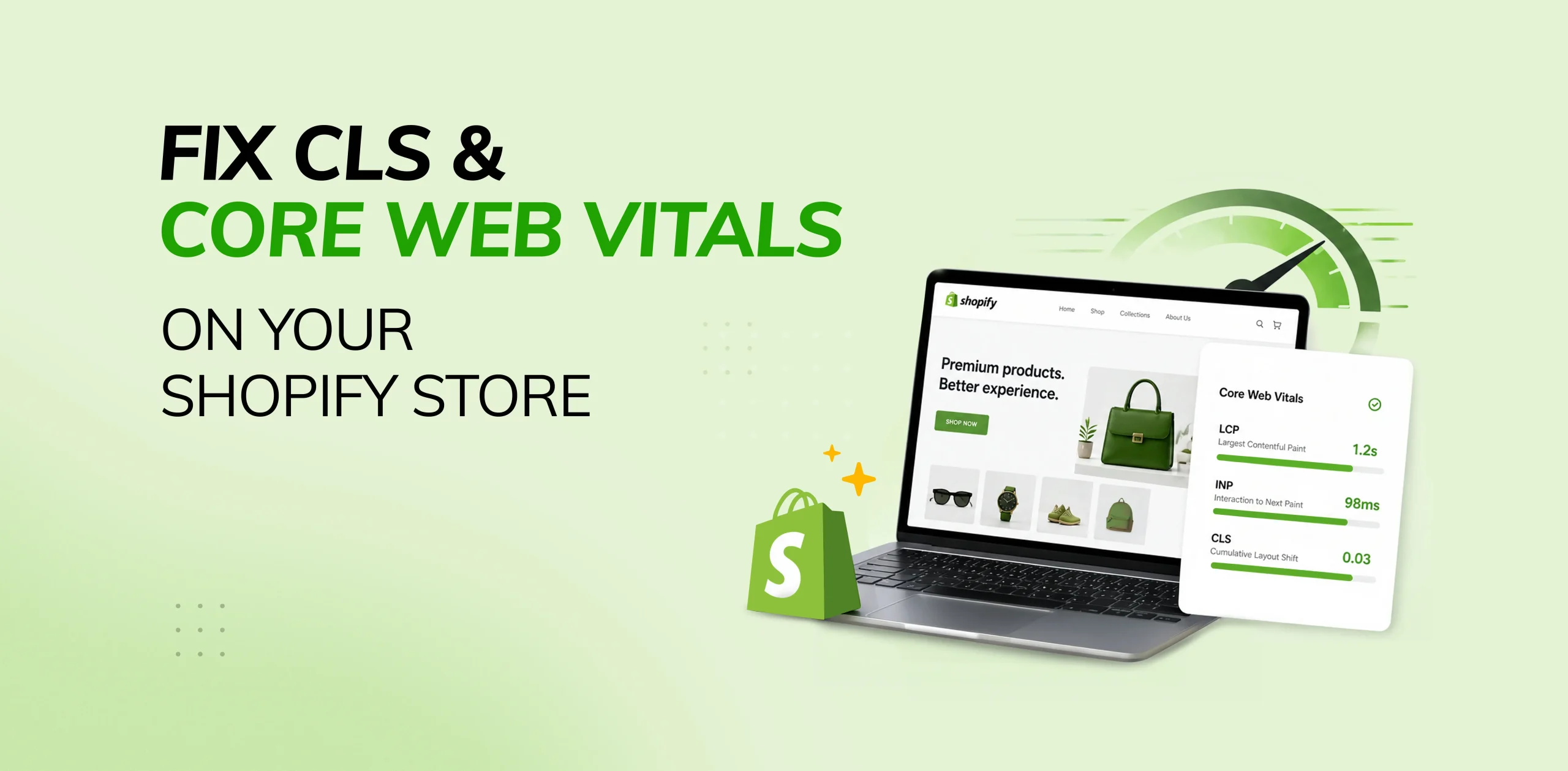

Design alone isn’t enough to make a Shopify store successful. Performance matters just as much. When pages load slowly or elements move unexpectedly, it creates friction that can drive customers away before they complete a purchase.
This is where Core Web Vitals become important. These performance metrics help measure how users experience your store in real life. One of the most common problems store owners face is CLS (Cumulative Layout Shift), which happens when content unexpectedly moves during page load.
For ecommerce stores, even small layout shifts can create frustration. A customer may try to click the Add to Cart button, but the button suddenly moves because an image, banner, or app loads late. These small issues can reduce trust and hurt conversions.
In this blog, we’ll explain what CLS is, why Core Web Vitals matter, common causes of poor scores, and practical ways to fix CLS on your Shopify store.
What Are Core Web Vitals?
Core Web Vitals are a set of user-focused performance metrics used by Google to evaluate website experience. These metrics focus on loading speed, responsiveness, and visual stability.
The three main Core Web Vitals are:
1. Largest Contentful Paint (LCP)
LCP measures how quickly the main visible content of the page loads. This is usually the hero image, large banner, or main heading section.
Good score: Under 2.5 seconds
A slow LCP score often means visitors are waiting too long to see useful content.
2. Interaction to Next Paint (INP)
INP measures how quickly a website responds when users click, tap, or interact with buttons and menus.
Good score: Under 200 milliseconds
A poor INP score can make your store feel slow and unresponsive.
3. Cumulative Layout Shift (CLS)
CLS measures visual stability. It tracks how much page content unexpectedly shifts during loading.
Good score: Less than 0.1
This metric is especially important for online stores because moving buttons, product images, or forms can interrupt the shopping experience.
What Is CLS?
CLS stands for Cumulative Layout Shift. It happens when visible elements move after the page has started loading.
Examples include:
- Product images loading late and pushing text downward
- Announcement bars appearing suddenly at the top
- Buttons shifting position before a click
- Review widgets loading after content appears
- Fonts changing and resizing text after page load
- Popups causing the page to jump
These shifts create a poor user experience because visitors expect the page to remain stable while they browse.
Why CLS Matters for Shopify Stores
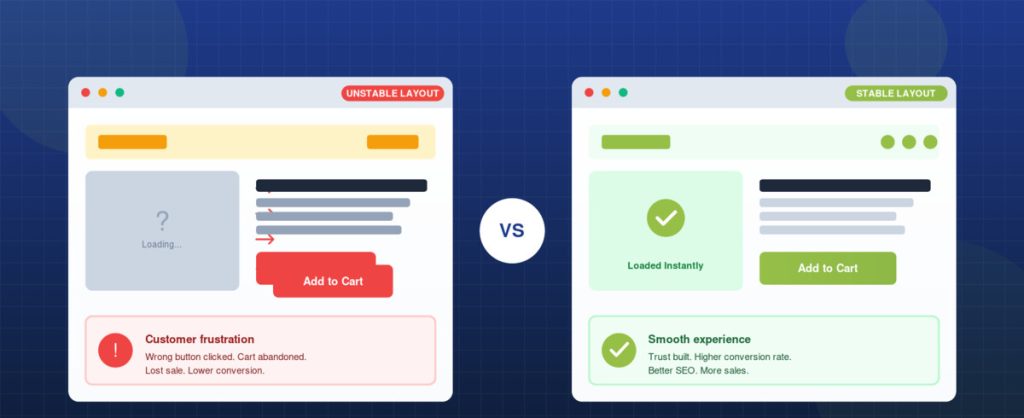
A stable layout builds trust. When customers visit an online store, they want smooth browsing and easy checkout. If the page keeps moving, users may think the website is broken or low quality.
Poor CLS can negatively affect your store in several ways:
Lower Conversion Rates
When users struggle to click buttons or select products because elements move unexpectedly, they may lose patience and leave without completing the purchase. A stable layout helps improve conversions.
Higher Bounce Rate
Visitors are more likely to leave the site quickly if pages feel unstable, confusing, or frustrating to use. Smooth page loading encourages them to stay longer and explore more.
Poor Mobile Experience
CLS issues are often more noticeable on mobile devices where screen space is limited. Even small layout shifts can disrupt browsing and make navigation difficult.
Reduced Search Visibility
Google uses page experience signals, including layout stability, when evaluating websites. Poor CLS can negatively impact rankings and reduce organic traffic.
Lower Customer Trust
A professional online store should feel smooth, polished, and reliable. Frequent layout shifts can make the site appear untrustworthy or poorly maintained.
Common Causes of CLS on Shopify
Many CLS problems come from theme design choices, third-party apps, or missing size definitions.
1. Images Without Defined Dimensions
If product or banner images do not have width and height information, the browser does not know how much space to reserve.
When the image finally loads, it pushes surrounding content.
2. App Widgets Loading Late
Apps such as:
- Reviews
- Live chat
- Trust badges
- Upsell offers
- Popups
- Social proof notifications
often inject content after the page is visible.
3. Custom Fonts
When fonts load late, the browser may first show fallback fonts and then replace them. This can cause text resizing and movement.
4. Announcement Bars
Many stores use promotional bars for discounts or shipping offers. If these appear after the page loads, the header and page content shift downward.
5. Dynamic Recommendations
Recommended product sections that load after the main page can move lower sections.
6. Embedded Videos or Iframes
Video blocks without reserved dimensions may suddenly expand once loaded.
How to Fix CLS on Shopify
Improving CLS usually involves making sure the browser knows the size and position of elements before they load.
1. Always Set Image Dimensions
Product images, banners, logos, and icons should have defined width and height values.
This allows the browser to reserve space immediately.
2. Reserve Space for Apps
If review widgets or chat tools appear later, create dedicated containers with fixed or minimum height.
This prevents sudden movement.
3. Load Announcement Bars Properly
Instead of showing bars after load, include them in the page structure from the beginning.
4. Optimise Fonts
Use fewer font families and preload important fonts. System fonts can also improve stability.
5. Use Placeholders or Skeleton Loaders
For product grids or recommendation sections, show placeholders while content loads.
This gives users a stable layout while data appears.
6. Avoid Inserting Content Above Existing Content
Do not inject banners or notices above the header once the page has rendered.
7. Optimise Theme Sections
Some themes include sliders, animations, and heavy blocks that create layout movement. Simplifying these sections can improve CLS.
Improving Other Core Web Vitals
Fixing CLS is important, but improving all three Core Web Vitals creates the best experience.
How to Improve LCP
Compress Large Images
Large hero banners and oversized images are common causes of slow loading times. Compressing images helps pages load faster without noticeably reducing quality.
Use Modern Formats
Modern image formats like WebP provide high quality with smaller file sizes. This improves page speed and overall site performance.
Remove Unnecessary Sliders
Multiple-image sliders often add extra scripts and slow down page rendering. Replacing them with a simple static banner can improve loading speed.
Reduce Apps
Too many installed apps can add unnecessary code and delay important content from loading. Keep only essential apps to maintain better performance.
Use Lightweight Themes
Choose clean, well-coded, performance-focused Shopify themes for faster loading and smoother browsing. Lightweight themes also create a better user experience.
How to Improve INP
Reduce Heavy JavaScript
Large JavaScript files can slow down the website and delay user interactions such as clicks, scrolling, and navigation. Reducing unnecessary scripts helps create a faster and smoother experience.
Remove Unused Apps
Every extra app may add scripts, trackers, and event listeners that affect site speed. Removing unused apps helps improve performance and responsiveness.
Optimise Menus and Filters
Well-optimised menus, search tools, and product filters make browsing faster and more enjoyable. Quick navigation improves the overall shopping experience.
Delay Non-Essential Scripts
Load chat widgets, analytics tools, and other non-essential scripts only after key content has appeared. This helps the main page become interactive more quickly.
Best Tools to Measure Core Web Vitals
Using reliable performance tools helps identify speed issues, layout problems, and interaction delays on your website. Regular testing allows you to fix problems early and maintain a faster, smoother user
Google PageSpeed Insights
Provides both real-world user data and lab-based performance insights to help identify speed and Core Web Vitals issues. It is one of the best tools for checking overall website performance.
Lighthouse
Built into Chrome Developer Tools, Lighthouse offers detailed audits for performance, accessibility, SEO, and best practices. It is useful for testing and improving site quality.
Search Console
Google Search Console helps track Core Web Vitals issues across your website using real user data. It also highlights pages that need improvement.
GTmetrix
GTmetrix is a useful tool for speed audits, load testing, and waterfall reports. It helps identify slow-loading elements and performance bottlenecks.
Chrome DevTools
Chrome DevTools helps developers diagnose issues such as layout shifts, slow scripts, and rendering problems directly in the browser. It is ideal for advanced troubleshooting.
Shopify-Specific Optimisation Tips
Choose Quality Apps Carefully
Install only apps that provide real business value and essential features. Too many unnecessary apps can slow down your store and affect performance.
Remove Old Code
Apps that have been uninstalled may leave behind scripts, code snippets, or unused files. Cleaning old code helps keep your theme fast and efficient.
Audit Theme Updates
After updating your theme, review performance and custom changes carefully. Updates can sometimes overwrite modifications or introduce speed issues.
Optimise Product Templates
Heavy image galleries, popups, sticky bars, and extra widgets on product pages can increase CLS and slow loading. Keep product templates clean and lightweight.
Test Mobile First
Most ecommerce traffic comes from mobile users, so mobile speed and layout stability are essential. Regular mobile testing ensures a better shopping experience.m mobile users, so mobile stability is essential.
When to Hire a Shopify Developer
If your store has poor PageSpeed scores, unstable layouts, or many third-party apps, professional optimisation may save time and improve results.
A developer can:
- Audit theme performance
- Remove unused scripts
- Optimise images and fonts
- Improve CLS, LCP, and INP
- Clean custom code
- Improve conversion-focused speed
Final Thoughts
Fixing CLS and Core Web Vitals on Shopify is one of the smartest investments for long-term growth. Speed and stability are not just technical details. They directly affect customer experience, trust, and sales.
When your store loads quickly, stays stable, and responds instantly, visitors are more likely to browse products, stay longer, and complete purchases.
Start by identifying layout shifts, removing unnecessary apps, optimising images, and simplifying heavy sections. Even small improvements can create measurable business results.
If your Shopify store feels slow or unstable, now is the right time to optimise Core Web Vitals and build a faster shopping experience.
Looking to improve your Shopify store’s performance? Sweans can help you fix CLS, optimise Core Web Vitals, and create a faster shopping experience. Reach out to our team today.
