

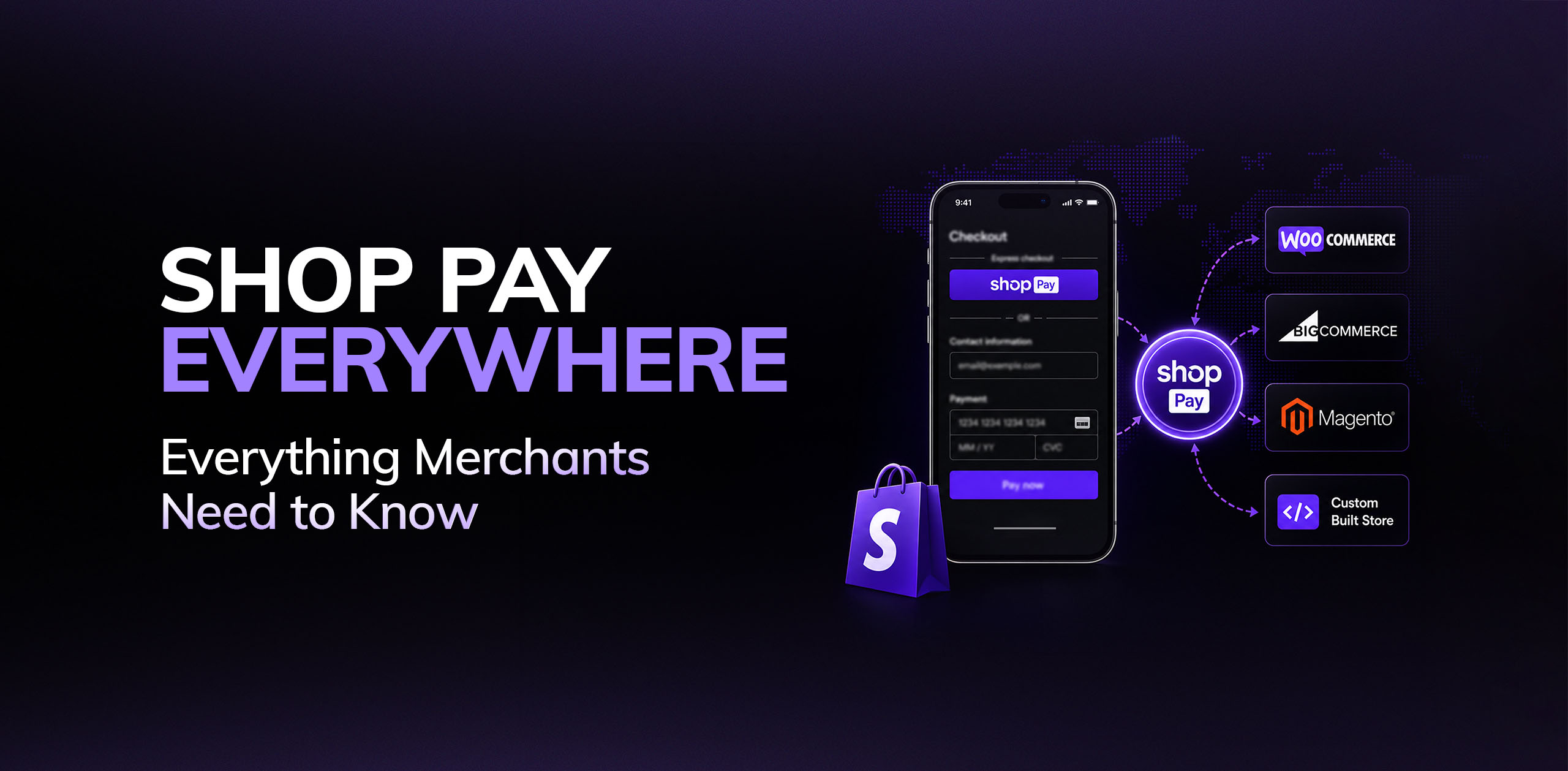

Yes. As of Shopify’s Spring ’26 Edition, merchants using WooCommerce, BigCommerce, Magento and custom-built ecommerce platforms can now offer Shop Pay without migrating to Shopify. Through Shop Pay Everywhere and the Shop Pay Wallet API, Shopify’s accelerated checkout is no longer exclusive to Shopify stores.
For years, Shop Pay was one of Shopify’s biggest competitive advantages. If you wanted customers to use it, you had to build your store on Shopify. That changed this year, opening the door for merchants on other ecommerce platforms to offer the same familiar checkout experience.
Since the announcement, several of our clients have asked us the same question: does this actually change anything? The answer depends on your platform. In this guide, we’ll explain what Shop Pay Everywhere is, how it works, and whether it’s worth integrating if you’re outside Shopify or simply considering your next ecommerce move.
What Is Shop Pay?
Shop Pay is Shopify’s accelerated checkout. A customer saves their card, billing, and shipping details once, and after that, checking out anywhere Shop Pay is enabled takes a couple of taps and an SMS code — no re-typing a card number, no filling in an address form for the fifth time this month.
Shopify’s own figures put it at roughly four times faster than a standard guest checkout, with conversion lifts as high as 50%. Take those numbers with the usual grain of salt reserved for any stat a company publishes about its own product, but directionally, they line up with what most of us already know about checkout friction: every extra field a customer has to fill in is a chance for them to bail.
Until this year, none of that was available unless your store ran on Shopify’s own checkout. Now it is.
How Shop Pay Everywhere Works
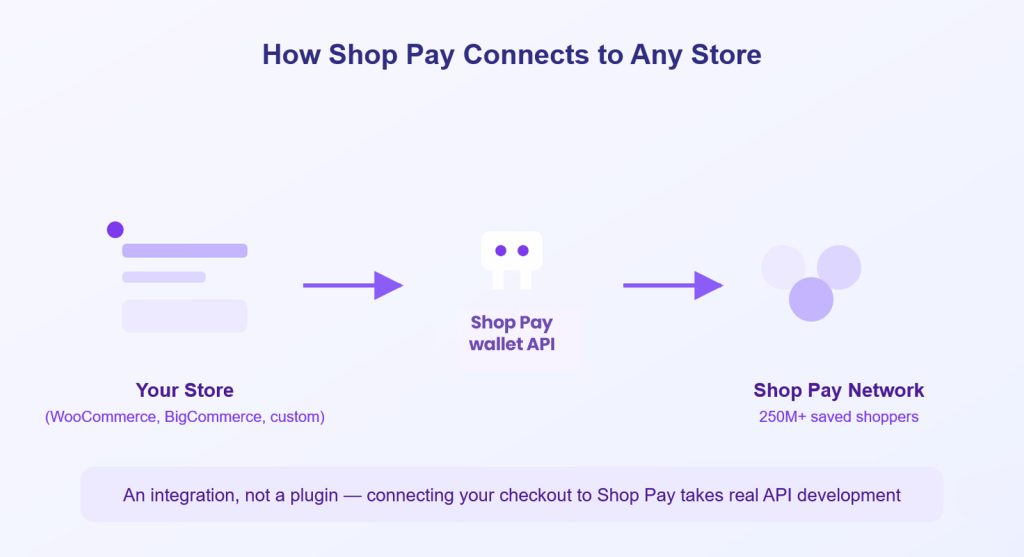
The piece that makes this possible is the Shop Pay Wallet API. Brands outside the Shopify ecosystem can use it to drop the Shop Pay button onto their own product pages, cart, and checkout, and their customers get the same saved-details, one-tap experience Shopify shoppers have had for years — even on a store they’re buying from for the first time. That’s the part worth sitting with for a second: a shopper who’s never heard of your brand could still breeze through checkout because Shop Pay already knows who they are.
It’s not a plugin you install and forget, though. Wiring it in properly means real API development — connecting domains, retrieving credentials, handling the checkout logic — which is why most merchants outside Shopify will bring in a developer or a Shopify Partner rather than doing it solo. But the wall that used to stop the conversation before it started — “you’d have to migrate to Shopify to get this” — isn’t there anymore.
It also doesn’t happen in a vacuum. Shopify has spent 2026 pushing hard into commerce infrastructure that lives outside its own storefronts, including selling directly inside AI assistants like ChatGPT and Copilot. Opening up Shop Pay is really the payments half of that same bet. If you want the fuller picture of everything else that shipped alongside it, we broke it down in our Shopify Spring ’26 Edition roundup.
What Shop Pay Everywhere Means for Shopify Merchants
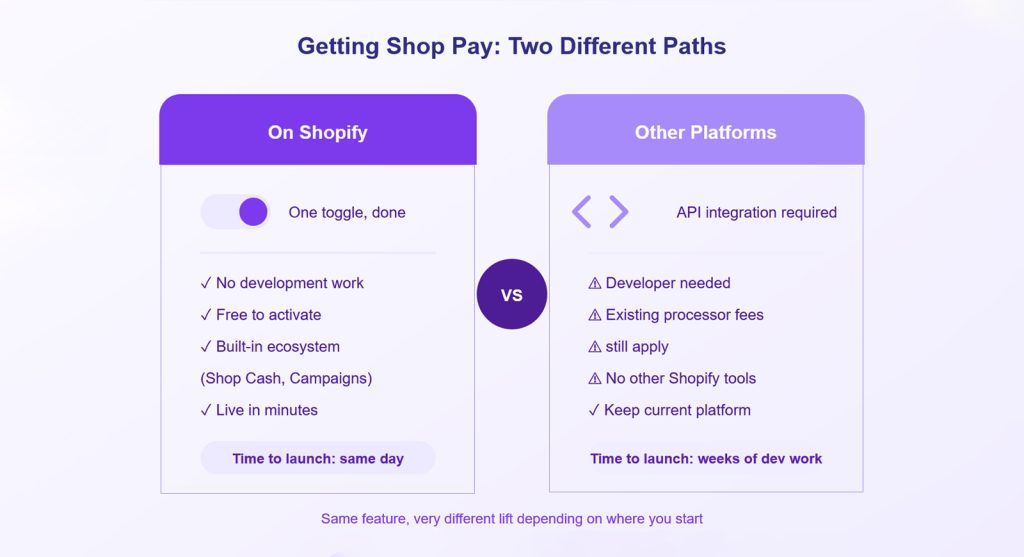
Nothing changes for you operationally. Shop Pay still lives behind a single toggle in your payment settings, and your customers check out exactly the way they did last month.
What’s worth noticing is a quieter shift underneath that. Shop Pay used to be a small competitive edge — one of the few things you could point to that a store on WooCommerce genuinely couldn’t offer. That’s not really true anymore, and it’s fair to feel a bit annoyed about it if you leaned on that in your marketing.
You’re not back to square one, though. You still get Shop Pay for free with no integration work, while everyone else is paying a developer to wire it in through an API. And you’re sitting inside the rest of the ecosystem it’s built into — Shop Campaigns, Shop Cash, the personalisation features we’ve written about in using AI to increase Shopify sales — none of which a bolt-on integration replicates.
So the checkout advantage hasn’t disappeared, it’s just thinner than it used to be. Which probably means it’s a decent time to double-check the rest of your funnel is doing its job, because “we have Shop Pay” isn’t going to carry a weak product page the way it might have a year ago. If you haven’t looked at where visitors are dropping off recently, our piece on traffic without sales walks through what to check first.
How to Use Shop Pay on WooCommerce, BigCommerce and Magento
This is the update actually aimed at you, and it’s worth taking seriously rather than dismissing as another Shopify press release.
The appeal is straightforward. You get a checkout option that a huge number of shoppers already trust and have used before, without ripping out your existing platform to get it. If a chunk of your cart abandonment happens at the payment step — and for a lot of stores, it does — this is a legitimate lever to pull. Mobile in particular tends to see the biggest gains from accelerated checkouts, since typing a card number on a phone keyboard is nobody’s idea of a good time.
The part that gets glossed over in most of the coverage is that this isn’t a plugin you switch on in an afternoon. You’re integrating through an API, which means real development work: connecting domains, pulling credentials, handling the checkout flow correctly. And once it’s live, you’re still paying your existing processor’s rates on top of it — Shop Pay doesn’t replace your payment stack, it sits on top of it.
There’s also a slightly bigger question worth asking before you commit the dev budget. If you’re going to pay a developer to build a custom integration anyway, is bolting on one Shopify feature the best use of that money — or would the same budget get you further by moving the whole store onto Shopify, where this comes free alongside things like checkout extensibility and dozens of other tools you’d otherwise have to build yourself? We’ve laid out that comparison in more detail in why brands migrate to Shopify for ecommerce success. It won’t be the right call for everyone, but it’s worth ruling out before you sink weeks into an API integration.
Should Shop Pay Everywhere Influence Your Ecommerce Platform Choice?
Not by itself, no. One feature going platform-agnostic isn’t a reason to rebuild your store this quarter. But it does tell you something about where Shopify is spending its energy in 2026 — less on being a closed system that only makes sense if you’re all-in, more on becoming the payments and identity layer underneath commerce generally, whether you’re technically “on” Shopify or not.
If you’re already weighing a migration for other reasons, this is one more thing to add to that pile of reasons rather than the reason on its own. Cost, app ecosystem, how well it handles international selling, how much of your workflow you’d have to rebuild — those still matter more. We’ve gone deeper into that side of the comparison in Shopify as the smarter foundation for ecommerce growth, if that’s the conversation you’re actually having.
Either way, it’s a reasonable moment to at least get a second opinion, rather than guess. Talk to our Shopify development team about whether integrating Shop Pay standalone makes sense for your store, or whether the smarter move is further down the road than one API connection.
