


You spend time and money getting people to your Shopify store. They click an ad, read an email or find you on Google. Then they land on your product page, look around for a few seconds, and leave.
Sound familiar? It happens to almost every store owner. The good news is that your product page is the easiest place to fix, because small changes here can lead to more sales without spending more on traffic.
Think of your product page as a shop assistant. It has to show the product, answer questions, calm worries and make buying feel easy. If any of those jobs is missing, the shopper walks away.
In this post, we will go through 15 Shopify product page elements that help turn browsers into buyers. You do not need to do all of them today. Pick two or three, make the changes, and see what happens.
What Is Shopify Product Page Optimisation?
Shopify product page optimisation means improving the parts of your product page, such as the title, images, description, price, reviews and Add to Cart button, so that more visitors buy. The aim is simple: more sales from the traffic you already have, without spending more on ads.
Key Takeaways
- The product page is where the buying decision happens, so small fixes here can bring more orders from the same traffic.
- The 15 elements that matter most are a clear title, great images, a short video, an easy-to-scan description, honest pricing, a bold Add to Cart button, easy variant selectors, size guides, customer reviews, trust badges, shipping and returns information, honest urgency, bundles, an FAQ section and fast mobile loading.
- Start with your best-selling product and change one thing at a time.
- Track conversion rate, add-to-cart rate, bounce rate and average order value to see what works.
Why Your Shopify Product Page Matters So Much
Your homepage introduces your brand, and your collection pages help people browse. But the product page is where the buying decision actually happens. It is the last stop before the cart.
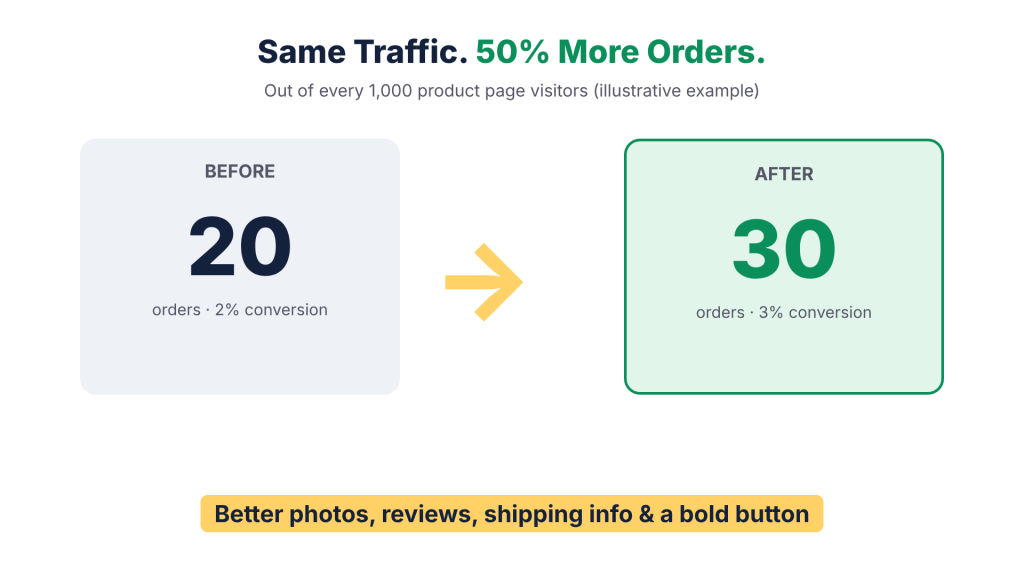
That is why a small improvement here can have a big effect. Imagine 1,000 people visit your product page each month and 20 of them buy. That is a 2 per cent conversion rate. If you get that number up to 30, you have 50 per cent more orders from the same traffic. No new ads, no extra cost.
Many store owners spend most of their energy on getting traffic and very little on what happens after the click. Try flipping that. Make the page work harder, and every visitor you already have becomes more valuable.
15 Elements of a High-Converting Shopify Product Page
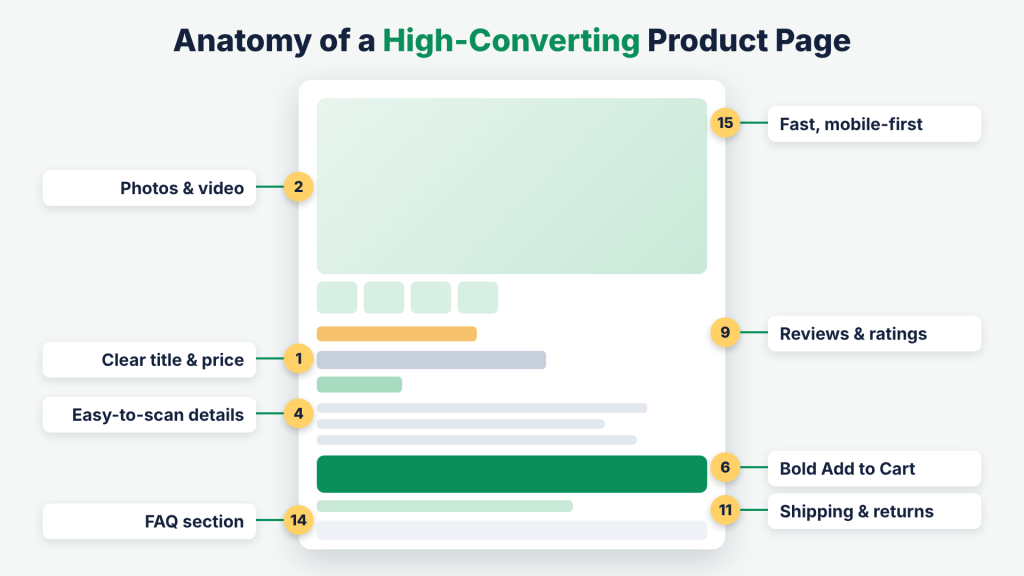
Here are the 15 product page elements that help shoppers see, trust and buy. Each one does a different job, so pick the ones your page is missing first.
1. A Clear, Simple Product Title
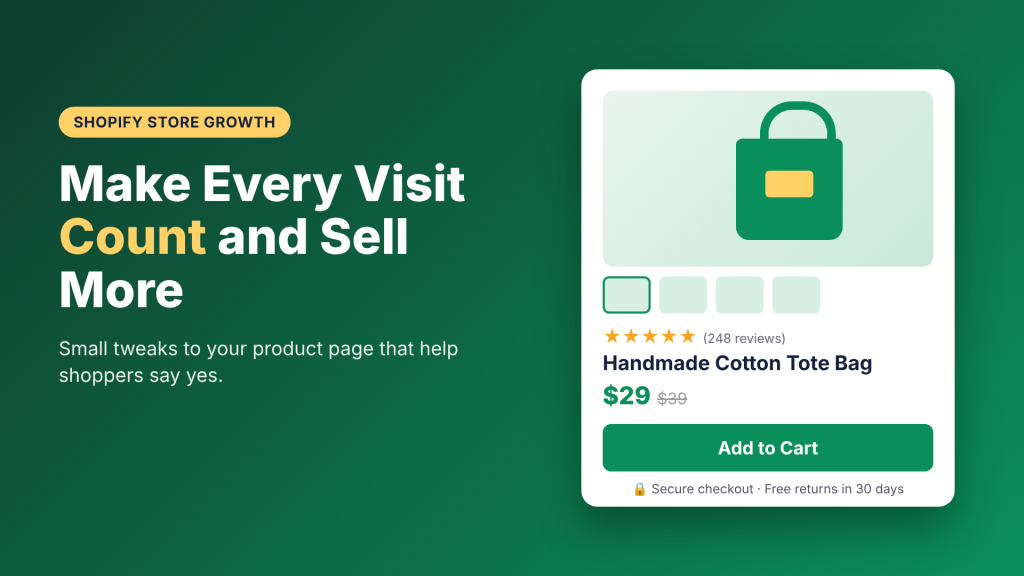
Your product title is the first thing people read. Keep it short and clear, and say exactly what the product is. “Handmade Cotton Tote Bag, Natural” tells shoppers more than “The Everyday Dream Carrier.”
Clever names are fine, but add a plain description next to them. If someone has to guess what you are selling, they will not stay long. Also use the words that shoppers actually search for, since that helps with Google too.
2. Great Product Images
People cannot touch your product, so photos do the job. Use sharp, bright images that show the product from the front, back, side and up close.
Add a few photos of the product in real life, such as being worn, used or placed in a room. These help shoppers picture it in their own lives. Keep image sizes small so the page stays fast, and make sure shoppers can zoom in on details like texture and stitching. Give every image a short, clear alt text that describes what it shows, as this helps both Google and shoppers using screen readers.
3. A Short Product Video
A 15 to 30 second product video can answer many questions at once. It shows size, movement, texture and how the product works.
You do not need fancy equipment. A phone, good light and a steady hand are enough. Show the product being used, or unboxed, or compared to something familiar like a hand. Place the video near the main images so shoppers see it without searching. Short clips also work well when you are explaining something that photos cannot, such as how a foldable bag packs down or how a cream feels on the skin.
4. A Product Description That Is Easy to Scan
Most people do not read long paragraphs on a product page. They scan. So write a short opening line that explains the main benefit, then use bullet points for key details like materials, size and care.
Talk about how the product helps the customer, not only what it is. “Keeps drinks cold for 24 hours” is better than “double-wall insulated steel.” Use simple words, as if you are explaining it to a friend.
5. Clear and Honest Pricing
Shoppers should never have to hunt for the price. Show it near the title in a clear size. If the product is on sale, show the old price and the new price together so the saving is easy to see.
If you offer payment options such as pay in instalments, UPI or cash on delivery, mention them under the price. Be honest about extra costs too. Surprise charges at checkout are one of the biggest reasons people leave.
6. A Bold Add to Cart Button
The Add to Cart button is the most important button on the page, so make it easy to find. Use a colour that stands out from the rest of the page, and keep the wording simple, like “Add to Cart” or “Buy Now.”
On mobile, consider a sticky Add to Cart button that stays at the bottom of the screen as shoppers scroll. This way, they can buy the moment they feel ready, without scrolling back up.
7. Easy Variant Selectors
Colour, size and style options should be simple to pick. Use colour swatches instead of drop-down lists when you can, because people like to see the colour, not just read its name.
When a customer picks a variant, change the main photo to match it. Also show clearly when an option is sold out, so shoppers do not click and feel frustrated. A smooth selector keeps people moving towards checkout.
8. Size Guides and Fit Help
Not knowing the right size is a big reason shoppers hold back, and wrong sizes lead to returns. Add a size chart with simple measurements and a short guide on how to measure.
Little notes like “Runs small, size up” or “The model is 5’8” and wears a medium” are very helpful. If you sell products where fit matters, such as clothing or shoes, this one change can save you both sales and returns.
9. Customer Reviews and Photos
People trust other people more than they trust brands. Customer reviews give shoppers confidence that your product is real and good, so show your star rating near the title and put full reviews further down.
Photos from real customers work even better than text. Ask buyers for a review a week or two after delivery, and make it easy with a short email. Do not hide negative reviews. A few honest ones make the good ones more believable. When someone leaves a complaint, reply politely and offer to fix the problem. Future shoppers read those replies, and they show that real people are behind your store.
10. Trust Badges and Secure Payment Signs
Shoppers want to know their money and details are safe, especially if they have never heard of your brand. Add small trust badges near the Add to Cart button, such as secure checkout, accepted payment icons and a money-back promise.
Keep these clean and few. Too many badges can look messy and even make people suspicious. Choose the ones that matter most to your customers.
11. Shipping and Returns Information
Questions about delivery and returns stop many sales. Answer them on the product page itself so shoppers do not have to open another tab.
Show an estimated delivery time, the shipping cost or free shipping limit, and a short line about your return policy. “Free returns within 30 days” can be the small push that makes someone hit the button. Link to the full policy for people who want details.
12. Honest Stock and Urgency Messages
A message like “Only 3 left” can help shoppers decide, but only when it is true. Fake countdown timers and made-up stock numbers break trust quickly, and customers notice.
If your stock really is low, say so. If a sale truly ends on Sunday, show the date. Honest urgency gives people a reason to act now, while fake urgency gives them a reason to never return.
13. Bundles and Smart Recommendations
Once someone is interested in a product, help them get more value. Show items that go well together, like a phone case with a screen guard, or a shampoo with its matching conditioner.
Offer product bundles with a small saving, and add a “You may also like” section lower down. This can raise your average order value. Keep the suggestions relevant, and do not push too many choices, or shoppers may feel stuck. Two or three good pairings are better than a long list. A simple rule is to ask yourself, “Would I recommend this together if the customer were standing in my shop?”
14. A Short FAQ Section
Think about the questions your customers send you again and again. Is it waterproof? How do I wash it? Does it come with a warranty? Put those answers right on the product page.
A short FAQ saves you support time and removes doubts at the moment they appear. Use a simple accordion layout so the questions stay neat. As you get new questions, add them to the list. Written as clear questions and answers, an FAQ also helps Google and AI search tools understand your product.
15. Fast Loading and a Mobile-First Layout
Most shoppers browse on their phones, so your product page must look and work well on a small screen. Check that text is easy to read, buttons are big enough to tap, and nothing jumps around while the page loads.
Speed matters too. Compress images, remove apps you do not use, and test your page on a regular mobile connection. A slow page loses customers before they even see your product.
Common Shopify Product Page Mistakes to Avoid
- Too much on the page. Every element should have a job. If it does not help the shopper decide, remove it.
- Copying the manufacturer’s text. It is boring and does not help your search ranking. Write your own.
- Ignoring mobile. Always check your page on a phone before you publish.
- Never testing. What works for another store may not work for yours. Make one change at a time and watch your numbers.
How to Know If Your Product Page Changes Are Working
Making changes is only half the job. You also need to check whether they help. Here are a few simple numbers to watch in your Shopify reports:
- Conversion rate: the share of visitors who buy. This is your main score.
- Add-to-cart rate: the share of visitors who add the product to their cart. If this is low, your page is not convincing people.
- Bounce rate: the share of visitors who leave straight away. A high number can point to slow loading or a confusing first impression.
- Average order value: how much each customer spends. Bundles and recommendations should push this up.
Change one thing at a time, wait a couple of weeks, and compare. If you change everything at once, you will never know what made the difference.
Shopify Product Page Checklist
Before you publish, run through this list:
- Clear title and price at the top
- Sharp photos with alt text, plus a short video
- Easy-to-scan description
- Visible Add to Cart button, also on mobile
- Reviews and trust signs near the button
- Shipping and returns information on the page
- Size guide, FAQs and related products
- Fast loading on a phone
Where to Start
Do not try to rebuild your whole product page in a day. Start with your best-selling product, since even a small improvement there will matter most.
Here is a simple plan: fix your photos and add a video, improve the description, show shipping and returns clearly, and add reviews. Then look at your conversion rate for a few weeks. Once you see what moves the needle, apply the same ideas to the rest of your products.
Frequently Asked Questions
What is Shopify product page optimisation?
It is the process of improving the parts of a product page, like images, description, price, reviews and the Add to Cart button, so more visitors buy. It helps you get more sales from the traffic you already have.
What is a good conversion rate for a Shopify product page?
It depends on your industry, price and where your traffic comes from. Many online stores convert somewhere around 1 to 3 per cent of visitors. The best benchmark is your own past numbers, so focus on improving those.
How many images should a Shopify product page have?
There is no fixed number. Aim to cover the front, back, side, a close-up and the product in use. For most products, that means around five to eight photos.
How long should a product description be?
Long enough to answer the main questions, and no longer. A short opening line about the main benefit, followed by a few bullet points on materials, size and care, works well for most products.
Do product pages affect SEO on Shopify?
Yes. A clear title with the words shoppers search for, a unique description, image alt text and a fast mobile page all help your product pages show up on Google and in AI search answers.
Can I improve my Shopify product page without a developer?
Many changes, like better photos, clearer descriptions, shipping information and FAQs, can be made in the Shopify admin and theme editor. Bigger changes, such as a custom layout, sticky Add to Cart or speed work, are easier with help from a Shopify developer.
Final Thoughts
A great Shopify product page does not need to be flashy. It needs to be clear, honest and helpful. When shoppers can see the product, trust your store and find answers fast, buying becomes the easy next step.
Pick two or three of these elements and try them this week. Small steps add up, and before long, more of your visitors will turn into happy customers.
Need help improving your Shopify product pages? Get in touch with our team, and we will help you build pages that turn more visitors into buyers.
